Automating BIG-IP with Terraform
Follow this script to demonstrate creation of Pools and Virtual Servers using Terraform plans.
Task – Imperative - Create VS, Pool and Members using playbook variables
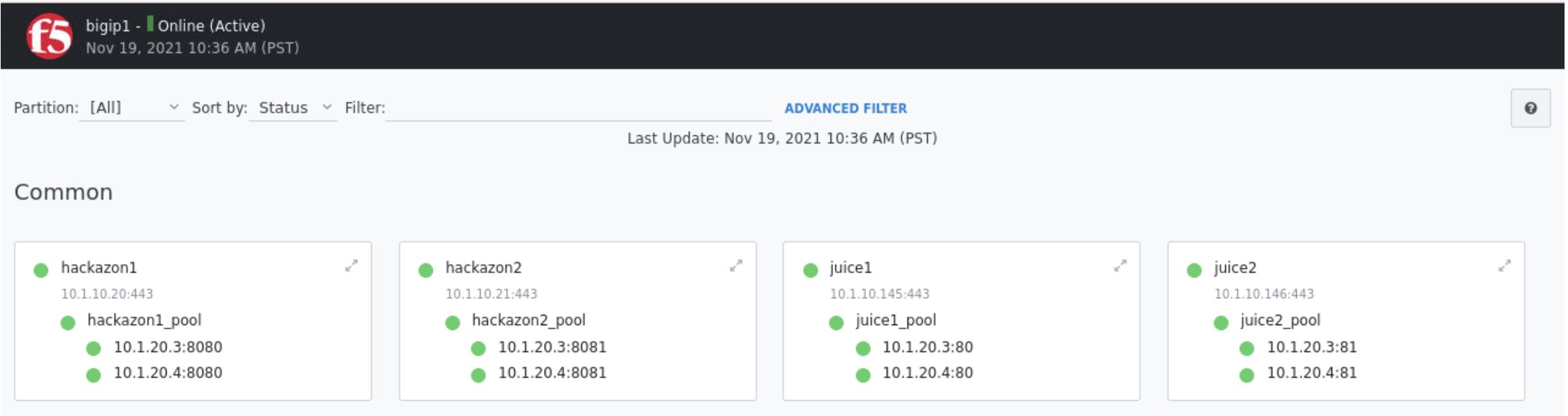
From Firefox browser explore BIG-IP GUI Local Traffic -> Network Map to confirm app110 virtual servers does not exist
From VScode explorer click on
imparative/main.tfto examine the plan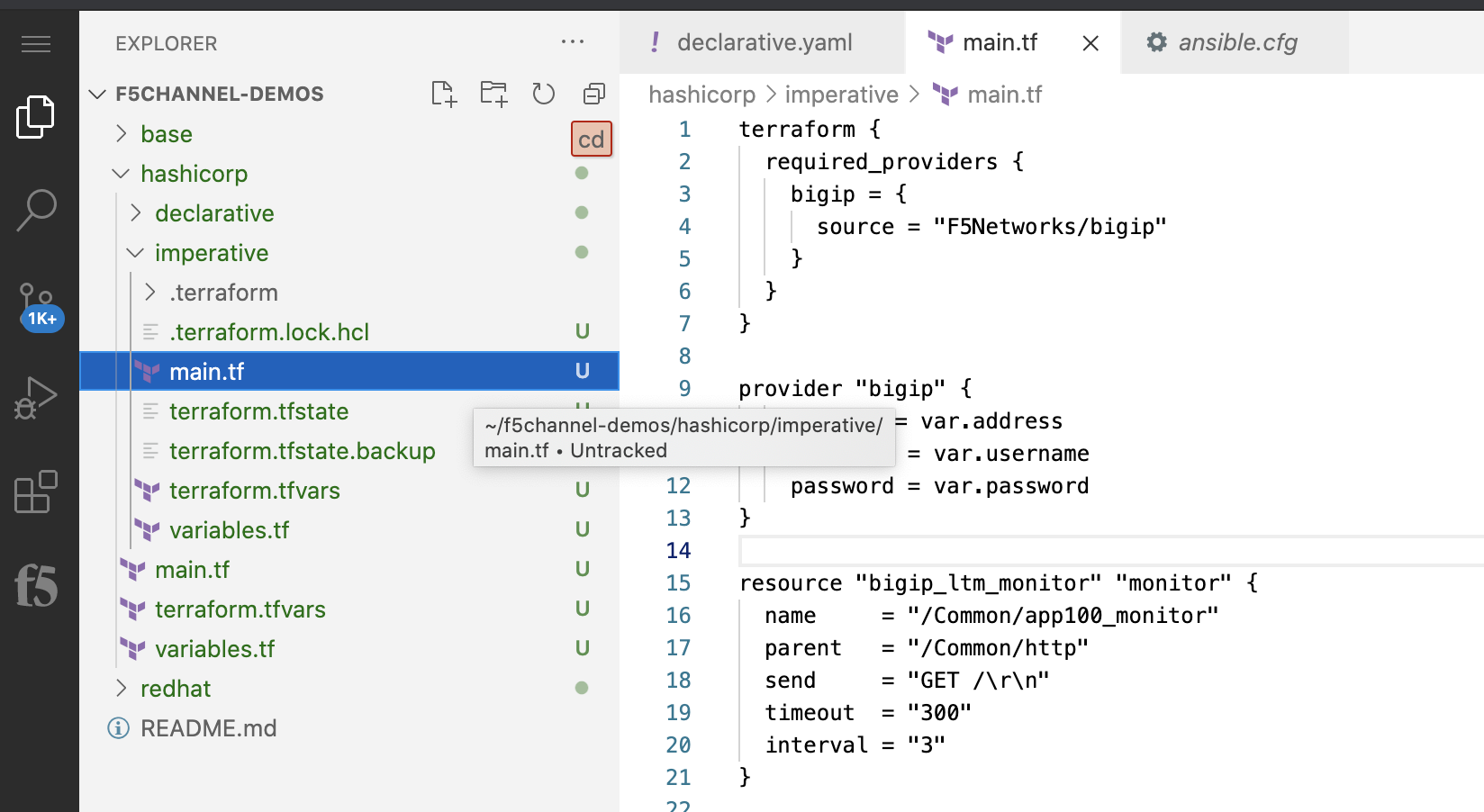
terraform {
  required_providers {
    bigip = {
       source = "F5Networks/bigip"
     }
   }
 }

 provider "bigip" {
     address = var.address
     username = var.username
     password = var.password
 }

 resource "bigip_ltm_monitor" "monitor" {
   name     = "/Common/app100_monitor"
   parent   = "/Common/http"
   send     = "GET /\r\n"
   timeout  = "300"
   interval = "3"
 }

 resource "bigip_ltm_node" "node" {
   name    = "/Common/10.1.20.5"
   address = "10.1.20.5"
 }

 resource "bigip_ltm_pool" "pool" {
   name                = "/Common/app100_pool"
   load_balancing_mode = "round-robin"
   monitors            = ["/Common/app100_monitor"]
   allow_snat          = "yes"
   allow_nat           = "yes"
   depends_on = [bigip_ltm_monitor.monitor]
 }

 resource "bigip_ltm_pool_attachment" "attach_node" {
   pool = "/Common/app100_pool"
   node = "/Common/10.1.20.5:80"
   depends_on = [bigip_ltm_pool.pool, bigip_ltm_node.node]
 }

 resource "bigip_ltm_virtual_server" "http" {
   pool = "/Common/app100_pool"
   name = "/Common/app100_vs"
   destination = "10.1.10.100"
   port = 80
   source_address_translation = "automap"
   depends_on = [bigip_ltm_pool.pool]
 }
From VScode terminal cd to hashicorp demo directory
Type
cd ~/f5channel-demos/hashicorp/imperative/
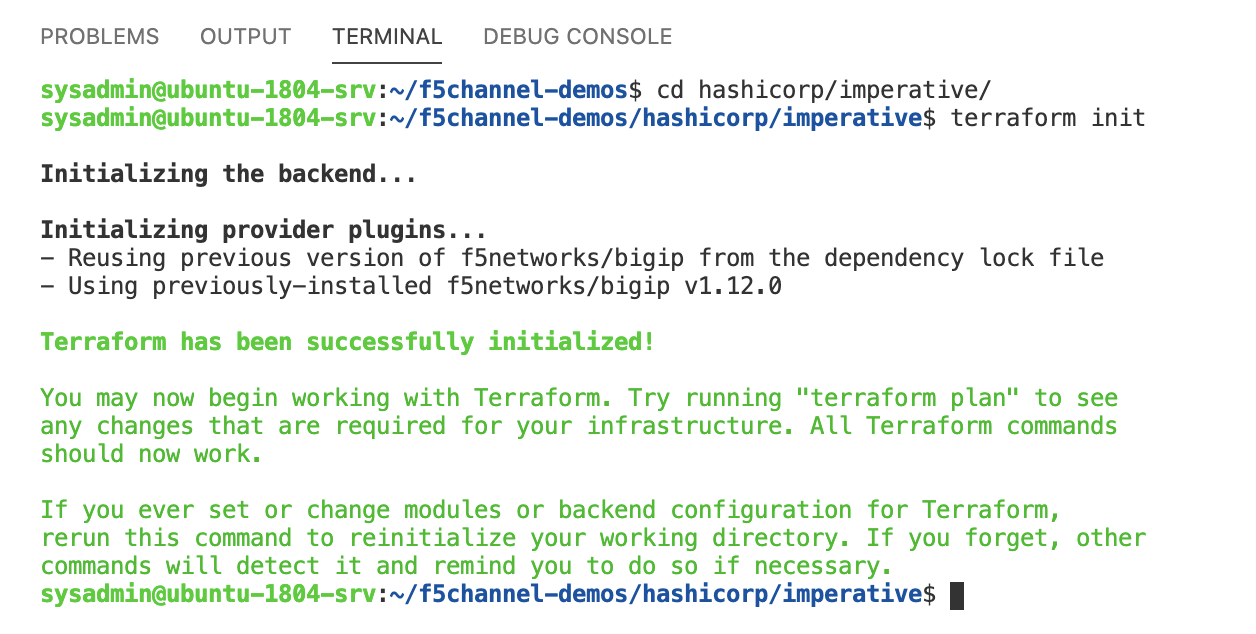
Run the terraform init
Type
terraform init
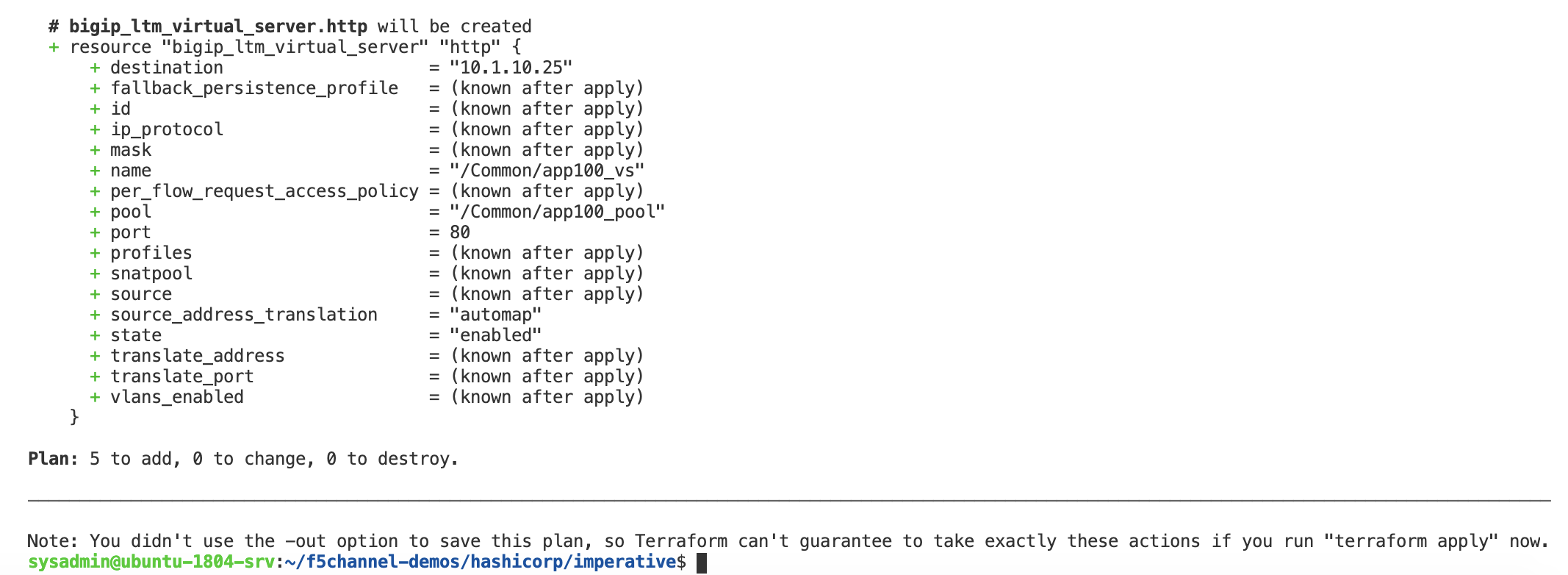
Run the terraform plan
Type
terraform plan
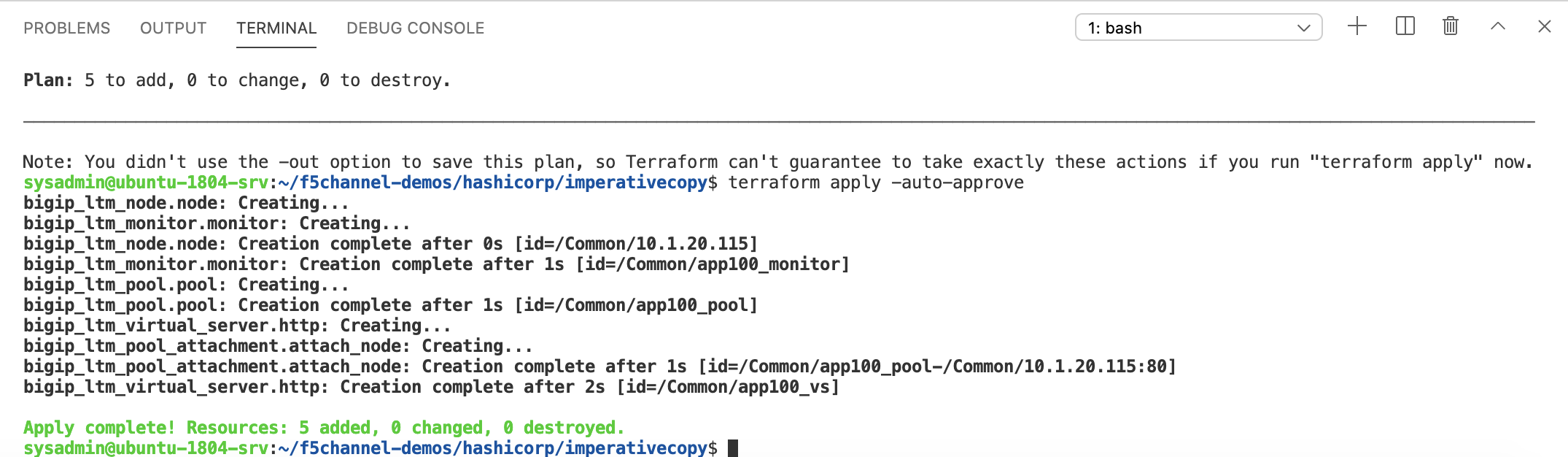
Run the terraform apply
Type
terraform apply -auto-approve
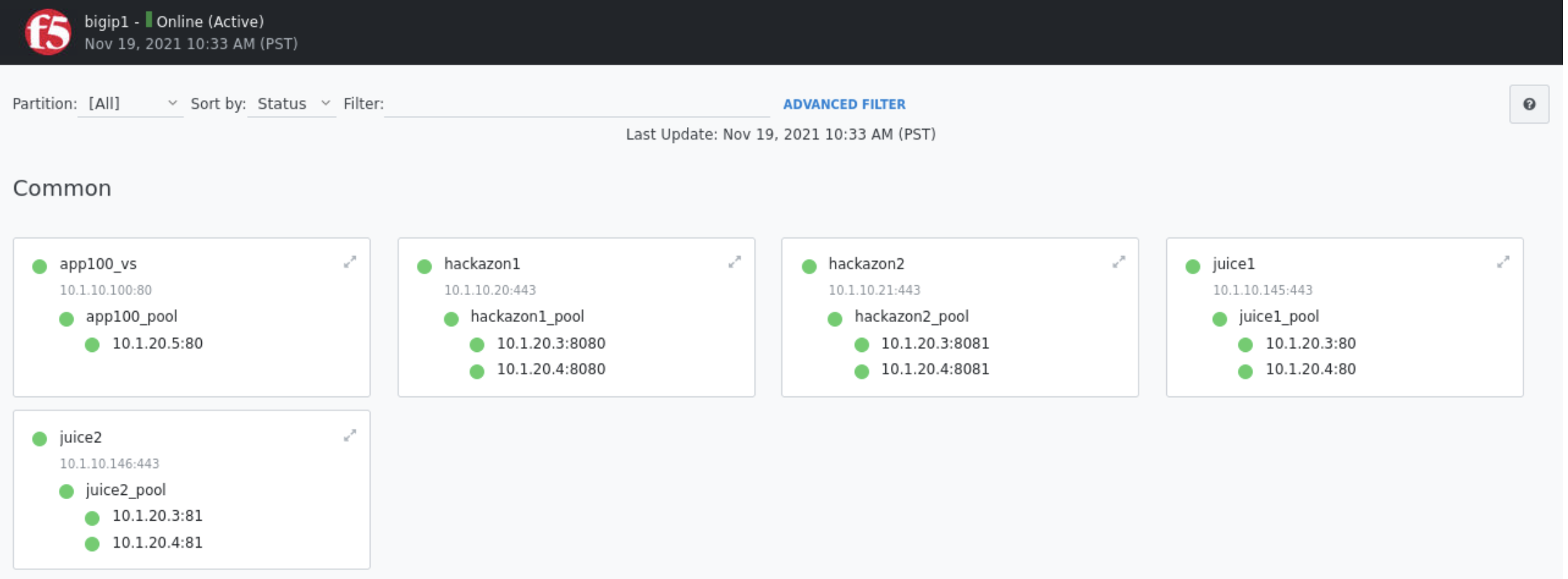
From Firefox browser explore BIG-IP GUI Local Traffic -> Network Map to confirm app100 virtual server now exists
Run the terraform destroy
Type
terraform destroy -auto-approve
From Firefox browser refresh BIG-IP GUI Local Traffic -> Network Map to confirm app100 virtual server is removed
Task – Declarative - Create VS, Pool and Members using AS3
From VScode explorer click on
declarative/main.tfto examine the planterraform { required_providers { bigip = { source = "F5Networks/bigip" } } } provider "bigip" { address = var.address username = var.username password = var.password } resource "bigip_as3" "app101" { as3_json = "${file("app101.json")}" }
From VScode explorer click on
declarative/app101.jsonto examine the AS3 template{ "class": "AS3", "action": "deploy", "persist": true, "declaration": { "class": "ADC", "schemaVersion": "3.0.0", "id": "app_101", "label": "App_101", "remark": "Simple HTTP application with round robin pool", "app_101": { "class": "Tenant", "defaultRouteDomain": 0, "Application_1": { "class": "Application", "template": "http", "serviceMain": { "class": "Service_HTTP", "virtualAddresses": [ "10.1.10.101" ], "pool": "app101_pool" }, "app101_pool": { "class": "Pool", "monitors": [ "http" ], "members": [ { "servicePort": 80, "serverAddresses": [ "10.1.20.7", "10.1.20.8" ] } ] } } } } }
From VScode terminal cd to hashicorp demo directory
Type
cd ~/f5channel-demos/hashicorp/declarative/
Run the terraform init
Type
terraform init
Run the terraform plan
Type
terraform plan
Type
terraform apply -auto-approve

From Firefox browser explore BIG-IP GUI Local Traffic -> Network Map to confirm app101 virtual servers now exists

Run the terraform destroy
Type
terraform destroy -auto-approve
From Firefox browser refresh BIG-IP GUI Local Traffic -> Network Map to confirm app101 virtual server removed