Getting Started
Please follow the instructions provided by the instructor to start your lab and access your jump host.
Note
All work for this demo lab will be performed exclusively from the remote VScode client and Firefox virtual browser.
Lab Topology
The following components have been included in your lab environment:
1 BIG-IP virtual appliances (16.0.x)
1 Ubuntu client server running:
vscode
firefox
1 Ubuntu application server running:
OWASP Juice Shop (App port 80 & 81)
Hackazon (App port 8080 & 8081)
NGINX Demo App (App port 82 & 83)
Network Addressing
The following table lists VLANS, IP Addresses and Credentials for all components:
Component |
Management |
External |
Internal |
Additional IP |
|---|---|---|---|---|
BIG-IP1 |
10.1.1.245 |
10.1.10.245 |
10.1.20.245 |
none |
NGINX |
none |
10.1.10.50 |
10.1.20.50 |
none |
Client Server |
10.1.1.2 |
10.1.10.2 |
10.1.20.2 |
none |
App Server |
10.1.1.3 |
10.1.10.3 |
10.1.20.3 |
10.1.20.4 |
Access Demo Environment
Click VScode link on the left column of cloudshare portal to access remote session
From VScode open New Terminal in VS Code to run commands in this lab
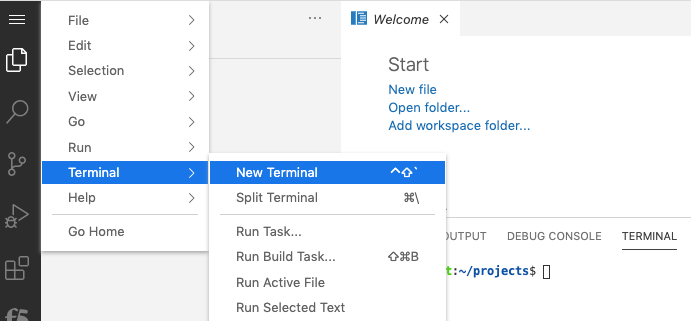
Click Firefox link on the left column of cloudshare portal to access remote browser
Copy and paste can best be accomplished by staying within the Firefox browser however you can leverage the clipboard found on top right if trying to paste into the browser