Mitigating OWASP Top 10 with Advanced WAF
Follow this script to demonstrate OWASP Top 10 compliance dashboard and mitigation of common web attacks.
Task – Explore BIG-IP AWAF Policy Attachement
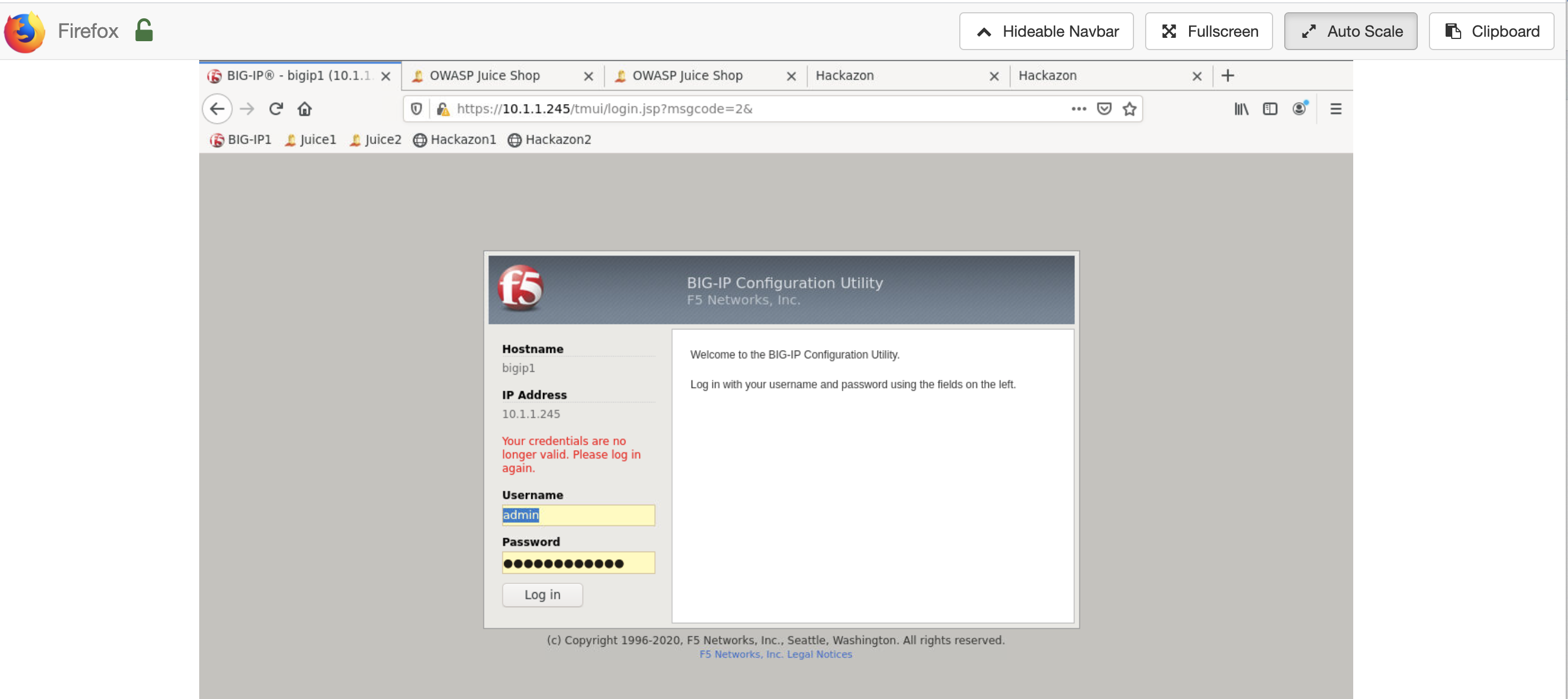
From Firefox click on BIG-IP1 bookmark to login to BIG-IP management gui (https://10.1.1.245). Credentials should be cached. From VM List->BIG-IP click on show details then password to reveal password.
From Firefox browser explore BIG-IP GUI Local Traffic -> Virtual Servers to view juice and hackazon apps are deployed

Click Security -> Overview to view juice_awaf policy attached to juice1 virtual server and no policy attached to juice2

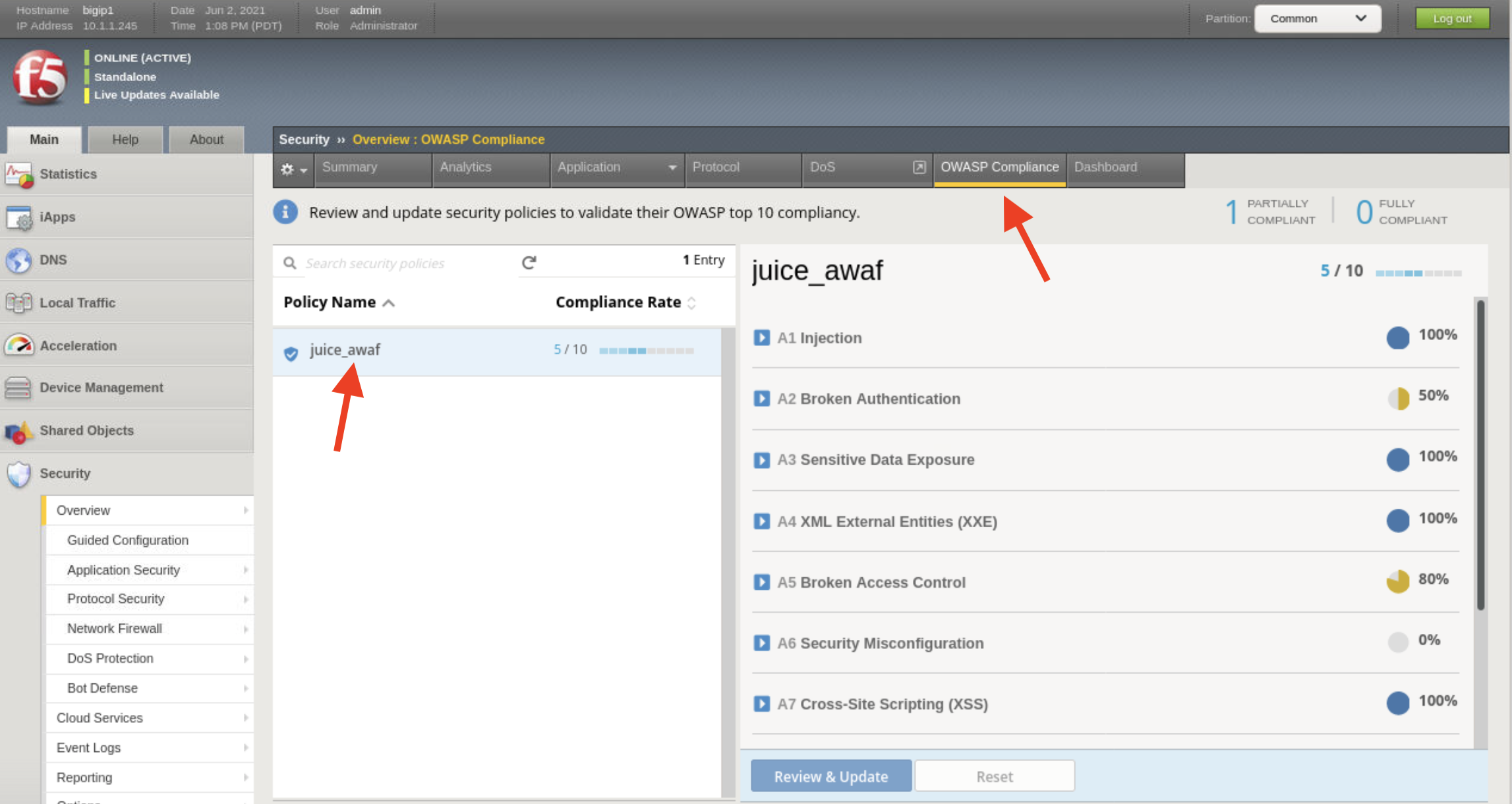
Click OWASP Compliance then juice_awaf to view details of OWASP Compliance rating
Note
Notice A1 Injection and A7 Cross-site Scripting (XSS) have 100% compliance
Task – Demonstrate a SQL injection vulnerability
Attack Account Login of unprotected app
From Firefox browser open new tab and access juice2 app
Click on Account then Login
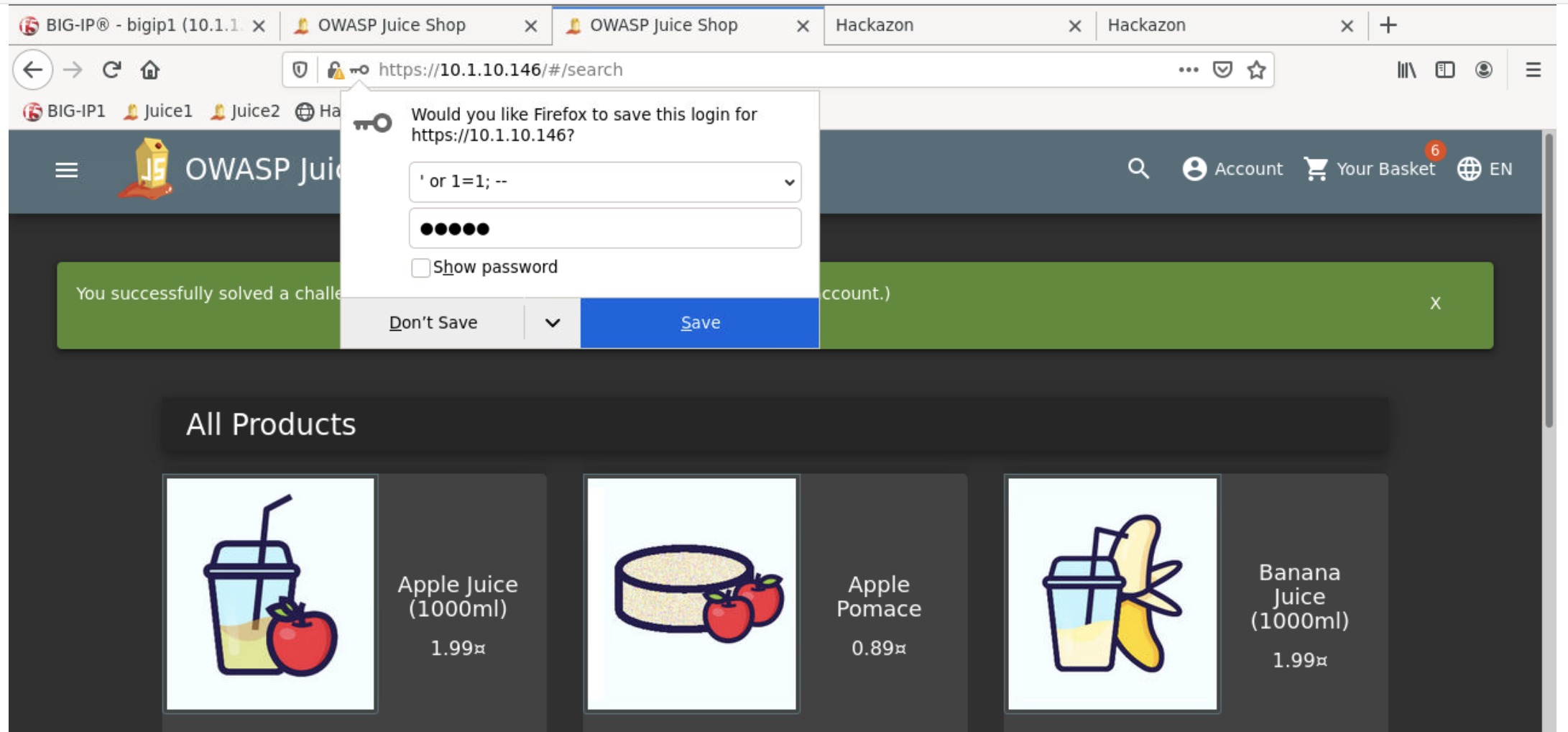
Login with
' or 1=1; --for Email and random characters for Password

Review the successful login as admin
Attack Search API or unprotected app
Click on API attack bookmark or paste the following in your browser’s location bar
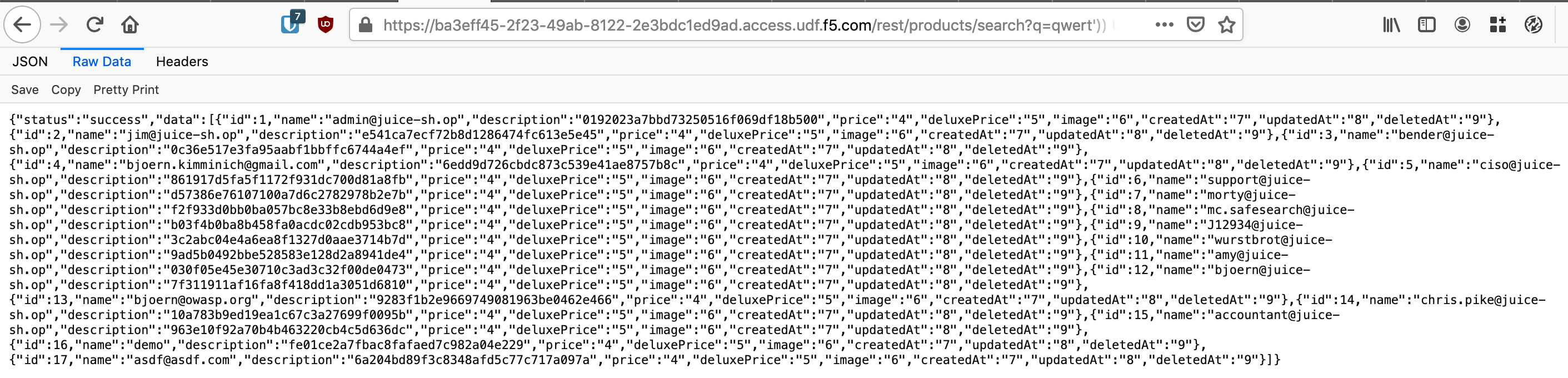
https://10.1.10.146/rest/products/search?q=qwert%27%29%29%20UNION%20SELECT%20id%2C%20email%2C%20password%2C%20%274%27%2C%20%275%27%2C%20%276%27%2C%20%277%27%2C%20%278%27%2C%20%279%27%20FROM%20Users--
The result should be a list of all the users in the database including their hashed passwords.
Attack Account Login of app protected by juice_awaf policy
From Firefox browser open new tab and access juice1 app
Click on Account then Login
Login with
' or 1=1; --for Email and random characters for Password
This should result with invalid object error and failed login attempt
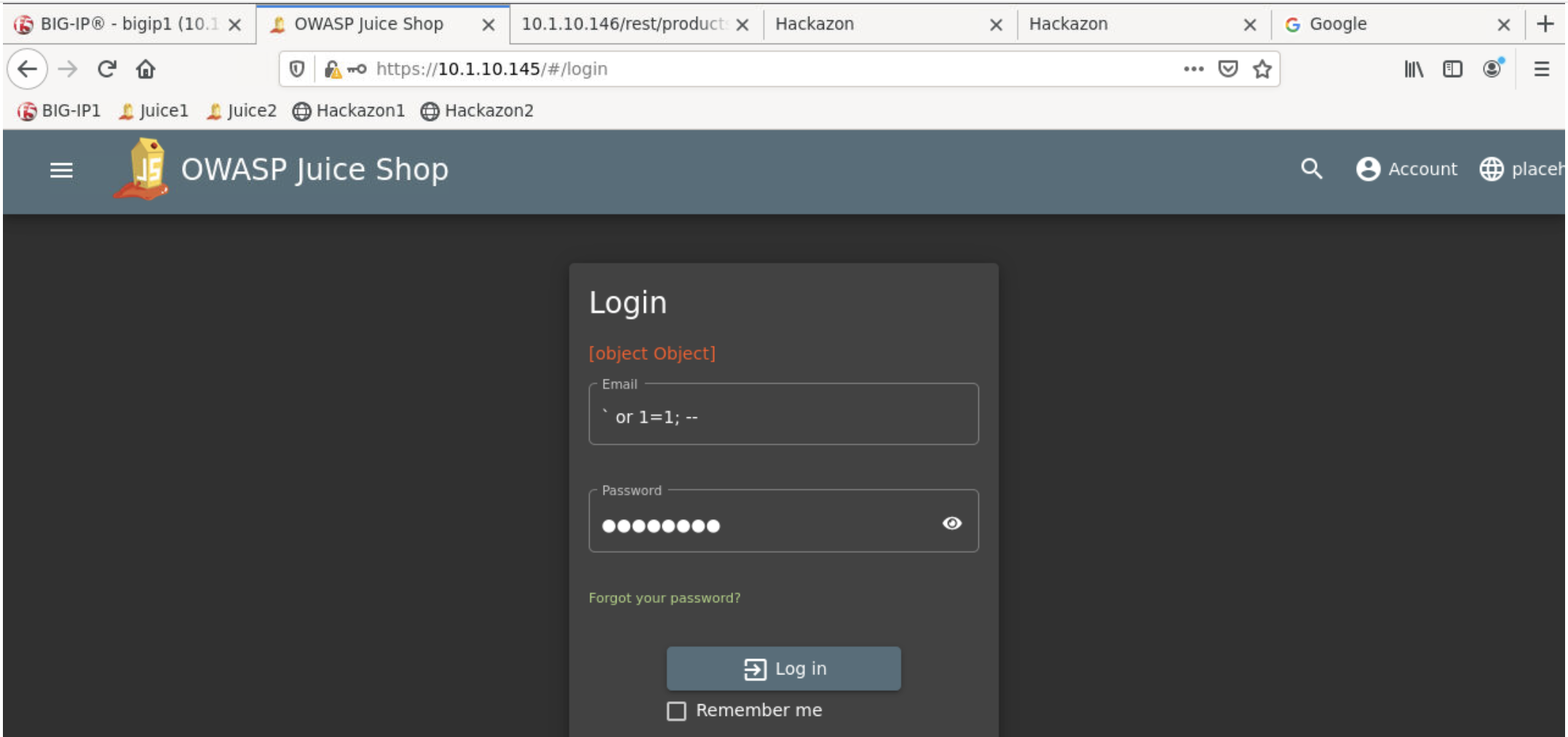
Click on BIG-IP GUI Security->Event Logs->Application->Request to list the blocked attempts
Click on the
login blocked attemptto reveal the details
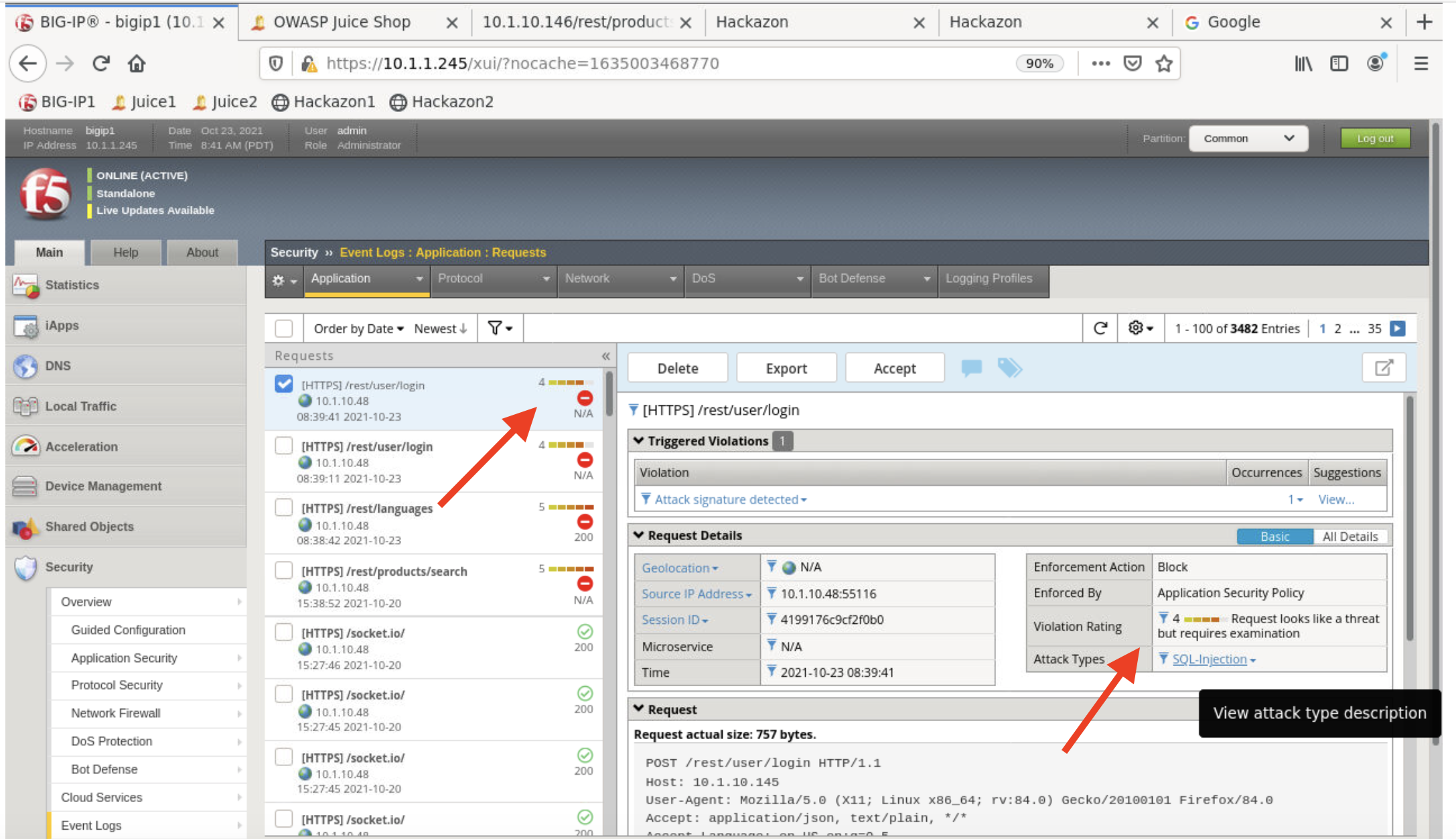
Note
Note Attack Type of SQL Injection and Rating Violation of 4 which indicates additional examination is required to reduce false positives
Attack Search API of app protected by juice_awaf policy
Click on API attack bookmark and change ip address to 10.1.10.145 or paste the following in your browser’s location bar
https://10.1.10.145/rest/products/search?q=qwert%27%29%29%20UNION%20SELECT%20id%2C%20email%2C%20password%2C%20%274%27%2C%20%275%27%2C%20%276%27%2C%20%277%27%2C%20%278%27%2C%20%279%27%20FROM%20Users--
The result should be a request rejected response message triggered by juice_awaf policy
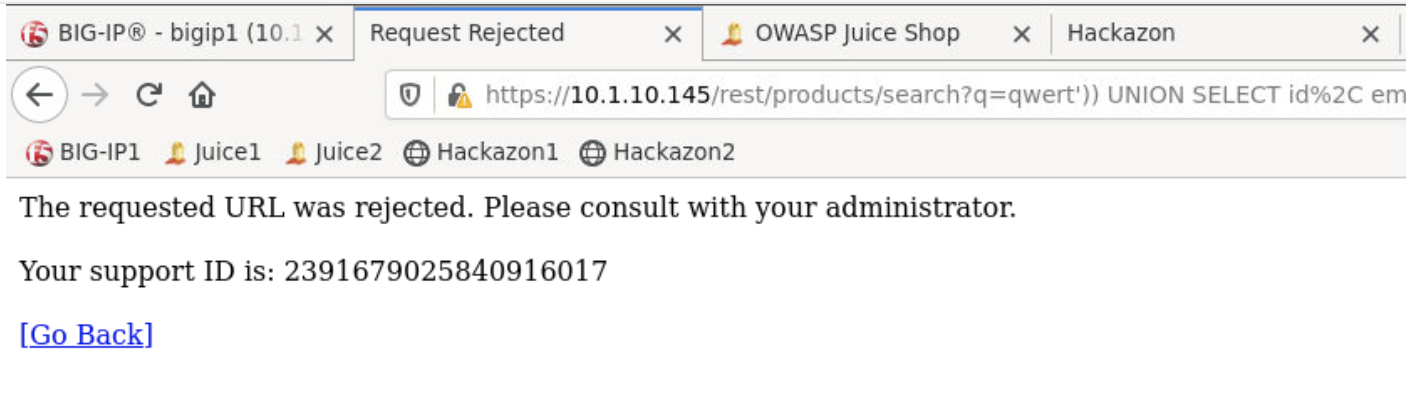
Copy the
Support IDClick on BIG-IP GUI Security->Event Logs->Application->Request to list the blocked attempts
Click on filter icon and paste
Support IDthen Apply Filter to reveal details of the blocked event
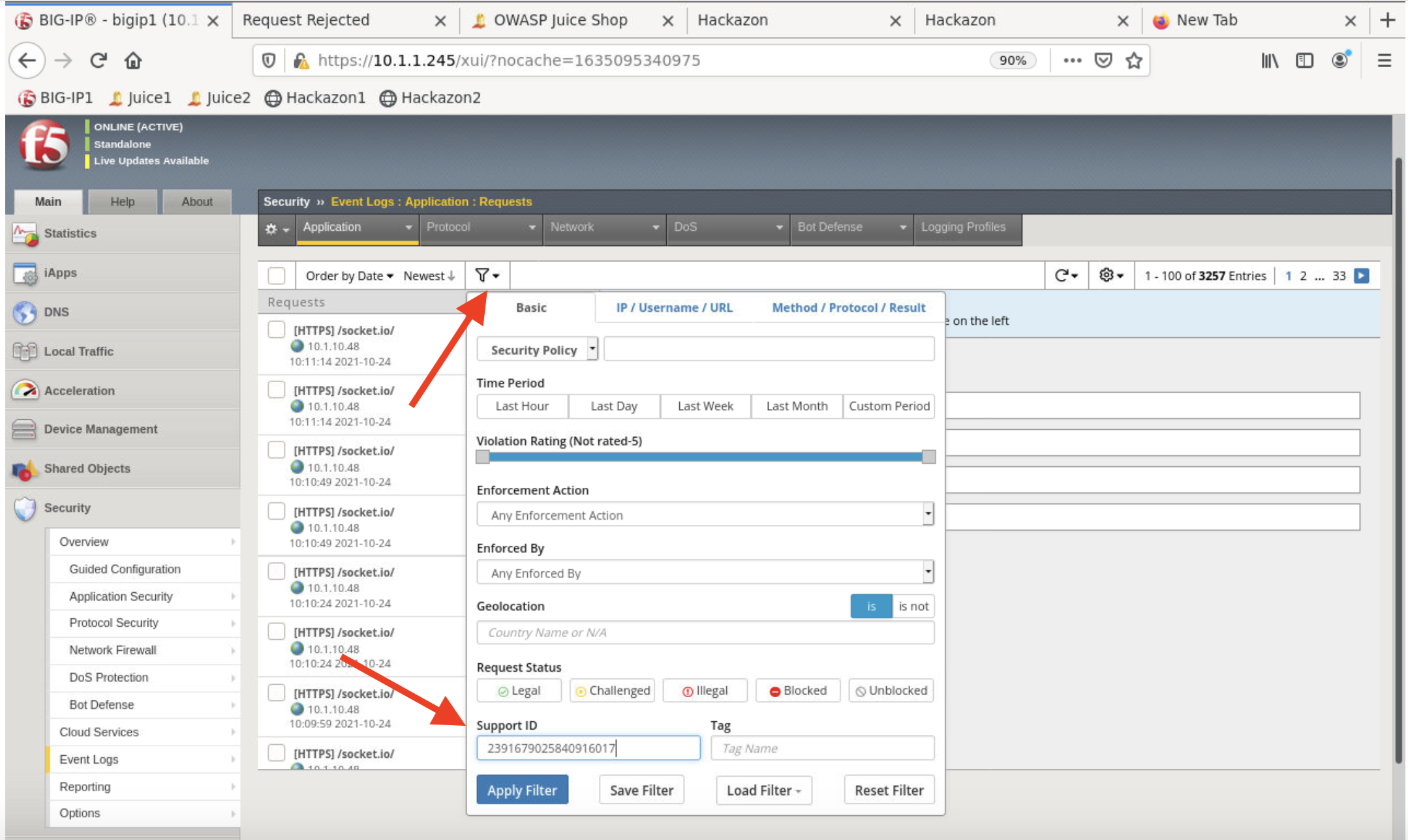

Note
Note Attack Type of SQL Injection and Rating Violation of 5 which indicates request most likely a threat